Before you hire an app builder: a one-page plan for your first business app
You have decided the business needs an app. Write version 1 on one page before you hire anyone. The page names the problem, the first three screens, what to leave out, how customers install the app, and what it costs to keep running. The bakery is an example. Use your own work.
Name the one problem
Write the sentence a customer would say. "I want to order a cake for Saturday." If that sentence needs "and", you still have two jobs. Version 1 gets one.
Write who it is for: regulars, members, or people who already buy from you. Pick the group that will open it again.
Write what "done" means. For the bakery, a regular can order a cake for a date you actually bake, and the order appears on the list the shop already uses. An order that exists only on the phone is not done. If these lines stay blank, stop. A builder will not invent them for you.
The three screens that matter first
Sketch three screens. If the job needs a fourth screen before it is finished, cut the job.
Screen one is the job. The bakery shows this month's cakes, in the sizes you offer. One action: start this order. Leave the story, the hours, and the photo gallery on the website.
Screen two is the choice that changes the job. Date, size, and pickup or delivery. Show only choices you can keep. A full Saturday stays off the list. A screen that accepts any date teaches people to ignore the app.
Screen three is the person. Ask for a name and a mobile number. Say what happens next: "We text you if the time has to change." Do not ask for a password, a birthday, or permission to send offers here.
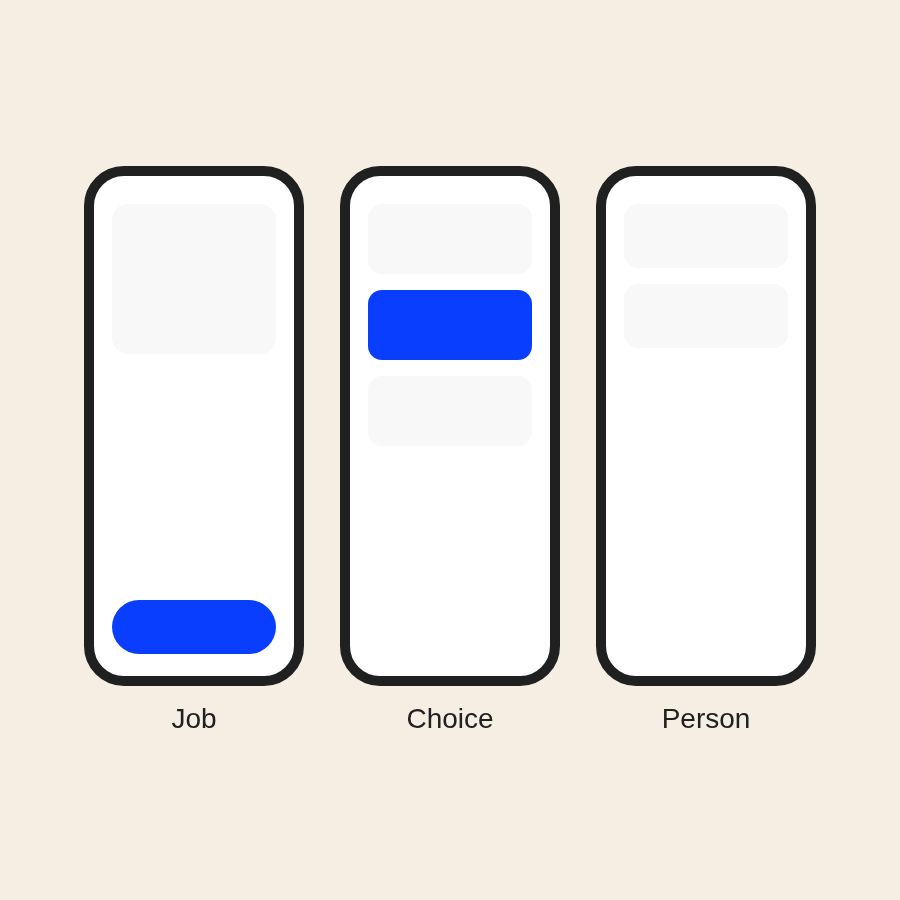
Three screens, and no fourth. You can ask a builder to adjust the layout later.
What version 1 leaves out
Write a not-now list under the sketch.
Leave out a login. A name and a phone number can place a repeat order. Add a login later only if a customer must see a private history.
Leave out payment in the app when you already take payment at the counter, on delivery, or in a tool you use. The order can exist before the payment.
Leave out points, coupons, chat, and push alerts. Each one is a promise. A wrong points balance does more harm than no points program.
Leave out a copy of the website, and leave out a staff area in the customer app. Hours can stay on the site. The team keeps its current list. The app puts a clean order on that list.
Name the phones you will try before launch. "Every phone" is not a plan.
How customers find it and install it
A finished app is easy to miss. Choose the path before you pay for the build.
The store listing needs your business name, one sentence that repeats the job, and pictures of the three screens. A listing about a different job installs the wrong idea.
Put the install link on a counter card, on the receipt or text you already send, and on your website. A QR code helps when staff can show a customer how to use it.
Each store has its own developer account. The store sets the fee and the rules. Ask the store for the current fee, or have the builder open the store's fee page, and copy the figure onto your plan. Do not guess. Two stores mean two accounts and two reviews. If your customers use one kind of phone, start there and write down why.
Some people will not install an app. Keep phone and website orders available, and tell staff not to turn those customers away. Before you announce the app, watch one customer finish an order. Fix the screen where they pause.
What it costs to keep running
The build is one bill. Staying usable is several costs. Leave the amounts blank until you have them. Ask each builder to price these categories separately.
Store account. The store may charge to hold a developer account, on a schedule the store chooses. Get the figure from the store. It is separate from the design bill unless the quote includes it.
The service behind the app. The order must land in the inbox, calendar, or list you already use. That tool may charge its own fee. Some tools cannot connect. Ask which of yours can, and get the answer in writing before you commit. If none can, ask what list will hold the orders and who hosts it.
Changes to what you sell. Prices, hours, and sold-out days change. Name who edits them, and whether a small edit needs the builder. A paid visit for every price change belongs on the quote.
Repairs. A screen can fail after a phone update. Ask who watches for that, and whether repair time is included or billed later.
A person for failures. Name who reads "my order stopped," on which days, and how the customer orders anyway. Mark each category included, billed later, or not this builder's work. There is no single price that fits every shop.
The checklist you take with you
One page. If it runs over, the job is still too big. Cross out lines you cannot answer yet.
- The one job, in a sentence a customer would say.
- Who it is for, and who it is not for.
- What done means, and where the order lands in the shop.
- The three screens, with only choices you can keep.
- The not-now list: login, payment in the app, points, coupons, chat, push alerts, a website copy, and a staff area.
- Which tools must connect, and who confirms each one in writing.
- Which phones you will try before launch.
- Which stores, the listing sentence, and where the install link goes.
- Who updates what you sell, who fixes a broken screen, and who replies when an order fails.
- The price for the store account, the service behind the app, content changes, repairs, and a person for failures.
A short card of the same ten checks.
Walk one customer through the paper screens. If they cannot finish, change the plan before you hire.
One option when the page is ready
Take the page to a builder you trust, or ask two builders to price the same page.
One option is Vidhani AI's mobile app service. You send the brief. Our team designs the screens, builds the app, tests it, and reviews it before it goes live. The app is checked on real phone sizes before you see it. A second AI reviewer checks the work against your brief. You try it and approve it before it is published. Pricing is quoted after a call, based on what the app needs to do. Read the mobile apps page and the pricing page before you book.
Bring the plan to that conversation. Without it, the builder has to guess version 1.